 VinciPhoto

VinciPhoto: photo cleaner for duplicate photos
New in 2.0: search your photos by description
Find any photo. Delete the other nine. ✨
Type what you remember, like “snow”, “receipts” or “dog on the beach”, and VinciPhoto finds it. It groups every near-identical burst, puts the sharpest shot first, and helps you clear the rest. Your photos stay on your device, and you don’t need an account.
Download on the App Store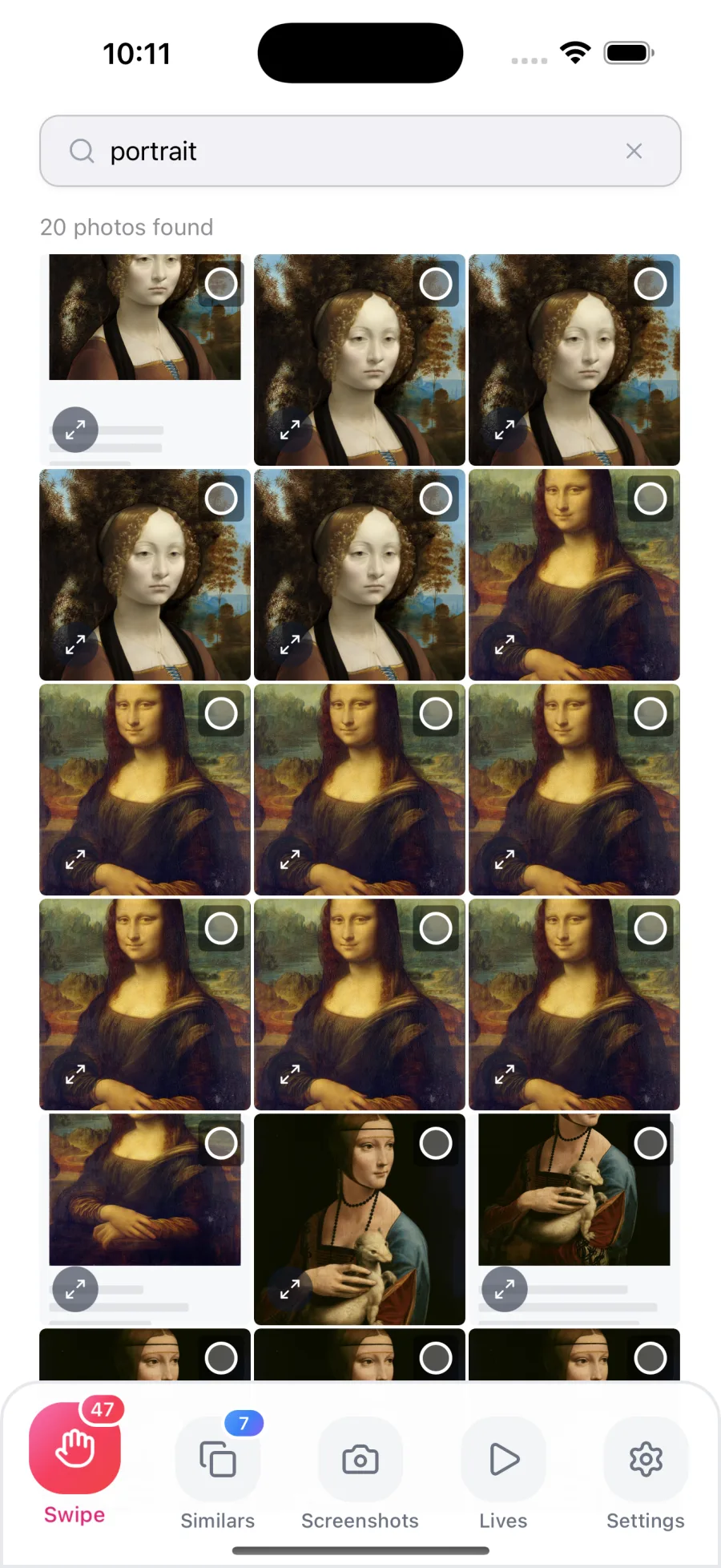
⭐ Built to be trusted with your camera roll
New in 2.0
🔍 Search your photos by description
Type what you remember. VinciPhoto looks at what your photos actually show, so you don’t need a filename or a date to find one.
Search runs on your device in all 11 languages the app speaks, so it works with no signal. How photo search works
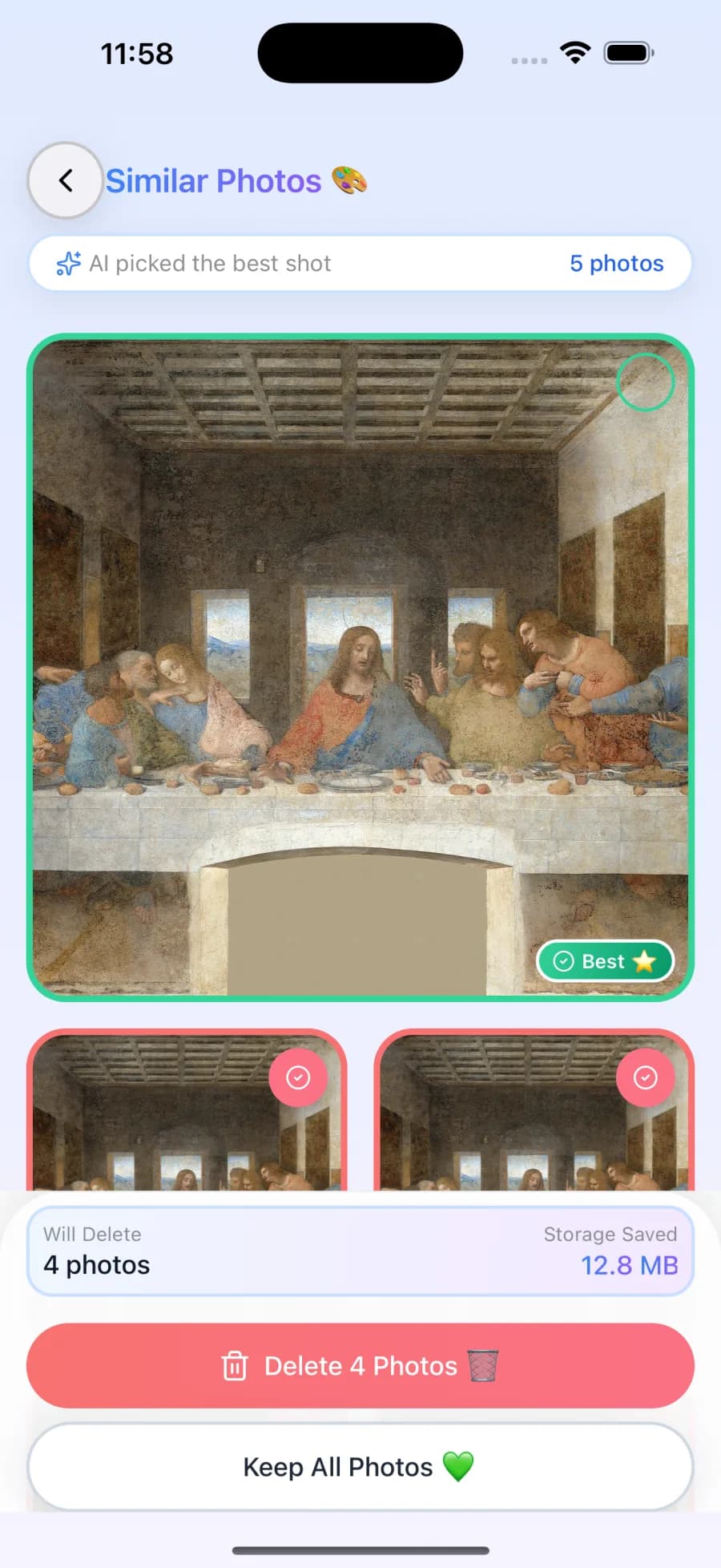
AI picks the best shot
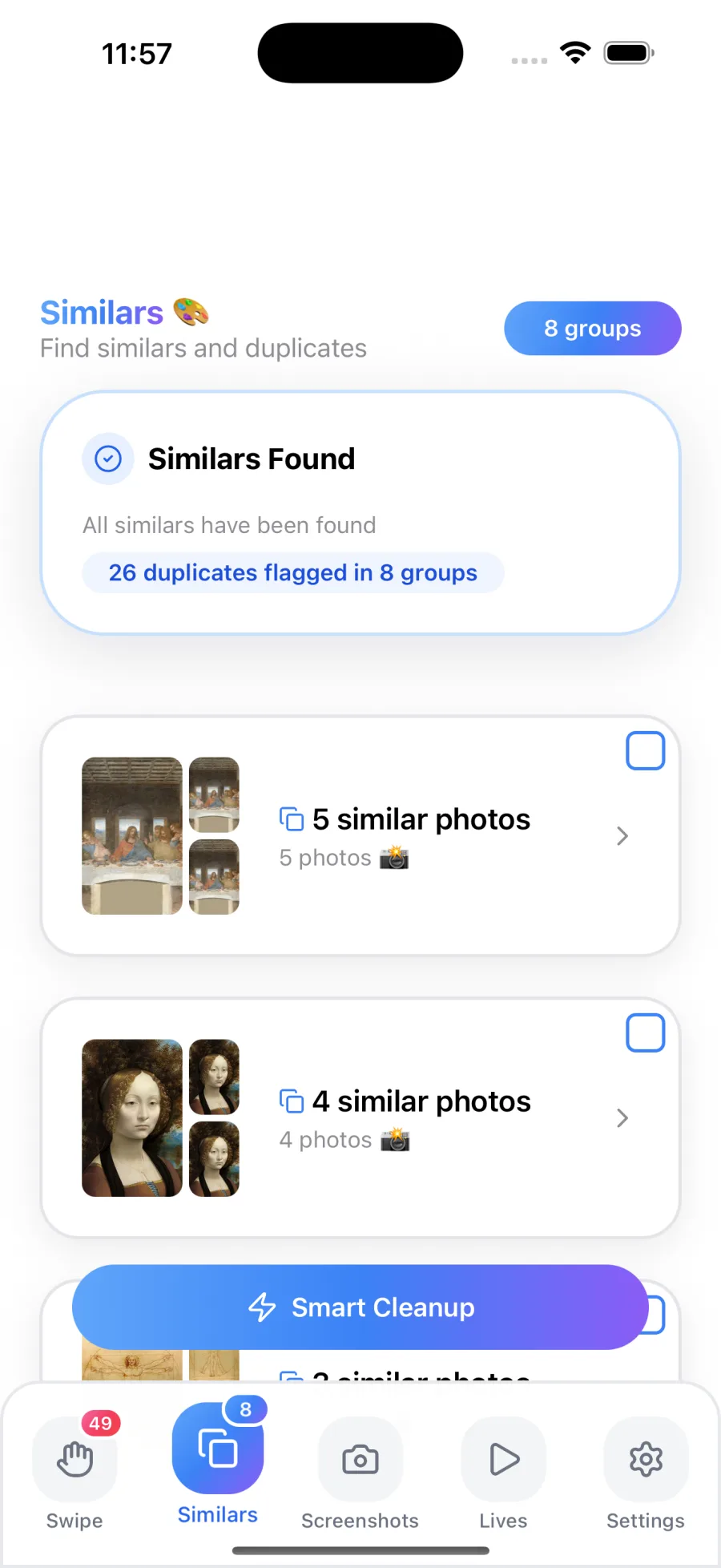
Ten near-identical shots of the same moment? VinciPhoto groups them, puts the best one first, and pre-selects the rest for deletion. You confirm every time.
Finds what fills your storage
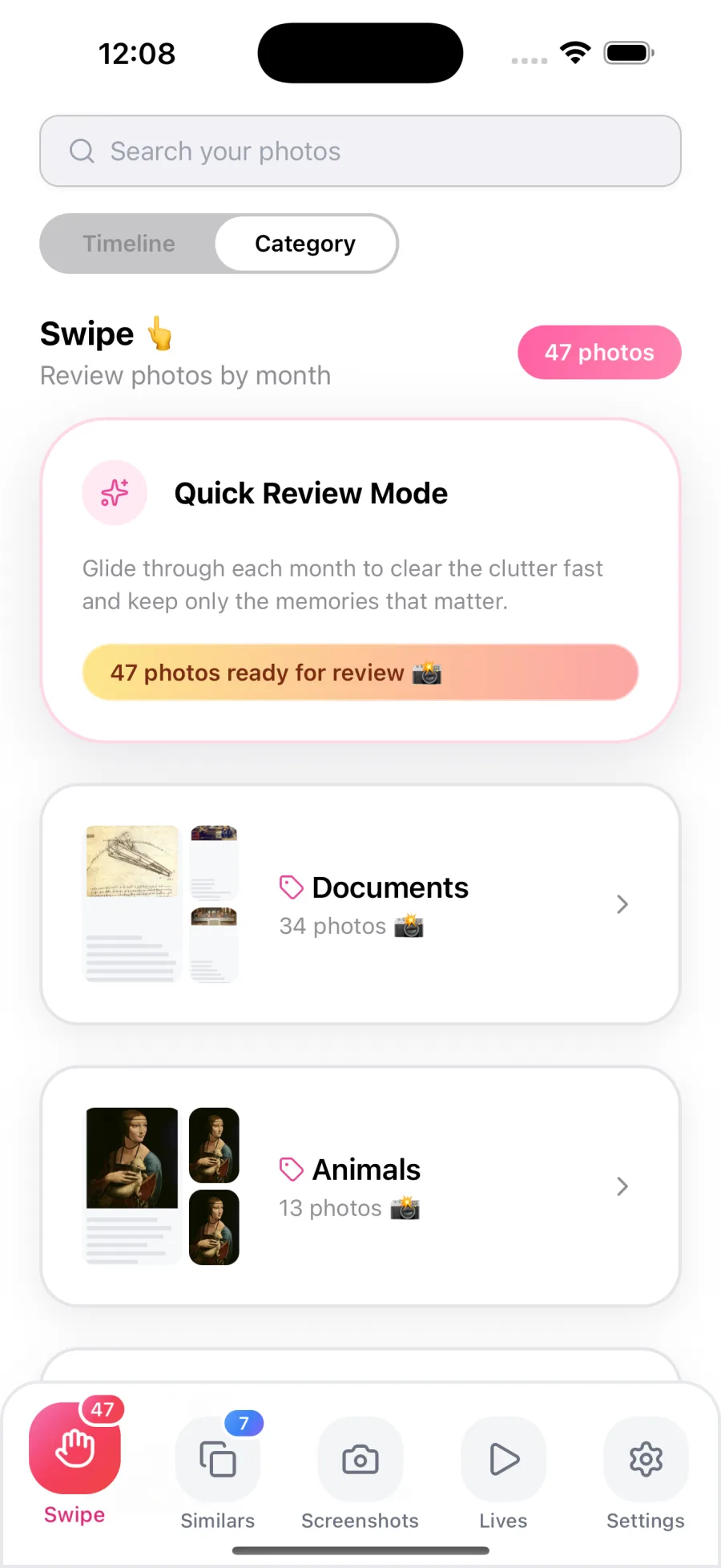
Old screenshots cleared in bulk, and Live Photos you can convert to stills to save space. Photos are also sorted into categories like documents, animals, nature and events.
See what you got back
A running cleanup history and a monthly report show every photo you removed and how much space came back. Both are free for everyone.
💡 Why VinciPhoto?
Your photos stay on your device
Analysis runs on the Apple Neural Engine using models bundled inside the app. Your photos are never uploaded, and there is nothing on our side that could see them.
It reads the photo, not the filename
On-device vision models let search understand what a picture shows, and let grouping catch bursts and same-scene shots that simple duplicate matching misses.
You confirm every delete
Deleting always goes through the system Photos confirmation, and removed items stay in Recently Deleted for 30 days. Undo is never limited, on any plan.
Paces itself to your device
Scanning continues in the background and slows down if your device gets warm, so a large library gets processed without overheating it.
🎨 Features at a glance
- Search your photos by description
- Auto-detect duplicate and burst photos
- Auto-pick the best shot in every group
- Screenshot detection and bulk cleanup
- Convert Live Photos to stills
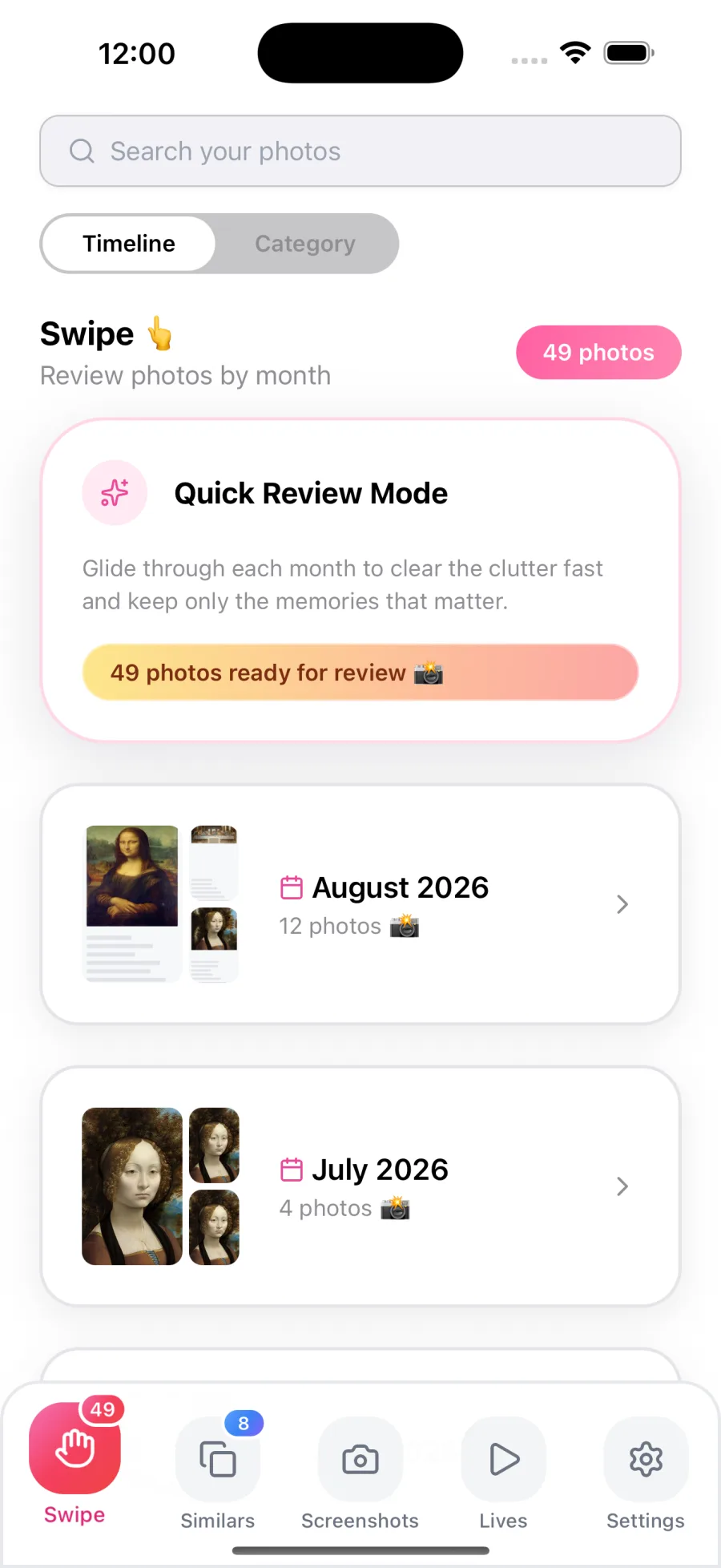
- Swipe through your library by month
- Automatic categories: documents, animals, nature, events
- Cleanup history and monthly report
- Background rescan for new duplicates
- On-device photo analysis, with no uploads
- Works in 11 languages
- No account or sign-in
💰 Simple, honest pricing
Scanning is never limited. You always see everything VinciPhoto finds and how much space you could get back. Only the actions are metered.
Free
The full scan, and everything it finds
$0Forever
Download on the App Store- Full library scan: every group, every finding
- See your total reclaimable space
- 50 photo deletions per day
- 5 semantic searches per day
- 5 Live Photo conversions per day
- Unlimited undo and restore
- Cleanup history and monthly report
- Supported by ads
⭐ Best Value
Premium
Every limit removed, every ad gone
$4.99One-time, yours forever
Download on the App Store- No ads, anywhere in the app
- Unlimited deletions, searches and conversions
- One-tap Smart Cleanup
- Batch convert all Live Photos
- Adjustable similarity sensitivity
- Background rescan and monthly report
- Also available monthly or yearly
US App Store pricing; prices vary by region. Premium is also offered as a monthly or yearly auto-renewable subscription, which renews automatically until you cancel. You can manage or cancel it anytime in your Apple Account settings. See the Terms of Use and Privacy Policy.
🧩 FAQ
What does VinciPhoto do?
VinciPhoto: Photo Cleaner finds duplicate and similar photos, old screenshots and large Live Photos, and helps you keep the best shot. You can also search your library by typing a description. Photo analysis runs on your device, and you confirm every delete before anything is removed.
Does VinciPhoto delete photos automatically?
No. You always confirm before anything is deleted. Every delete goes through the system Photos confirmation, and removed items stay in Recently Deleted for 30 days, so you can restore anything you change your mind about. VinciPhoto only suggests what to remove and pre-selects it for your review.
Does VinciPhoto upload my photos?
No. Near-duplicate grouping and search by description both run on your device, using models bundled inside the app. Your photos never leave your device, and there is no server on our side that could see them. Scanning and search keep working when you have no signal.
How is it different from the built-in Duplicates album?
The built-in Duplicates album is free and good at merging copies of the same photo. VinciPhoto also groups near-identical shots that aren't copies, such as bursts of the same moment, and suggests which one to keep. It also handles screenshots and Live Photos. Many people use both.
Is VinciPhoto free?
Yes, with daily limits. The scan is never limited, so you always see every duplicate found and how much space you could reclaim. The free tier allows 50 deletions, 5 searches and 5 Live Photo conversions a day. Premium removes every limit for a one-time $4.99, or a monthly or yearly subscription.
Does it show ads?
The free version does: banner and native ads in the grids, one interstitial after a delete batch, and an optional rewarded video that tops up your daily allowance. Any Premium purchase removes every ad, and the ad SDK isn't loaded at all once you have Premium.
Do I need an account?
No. There is no sign-up or login, and you don't need an account to buy Premium either. You install the app, allow access to your photos, and start scanning. Your Apple Account handles any payment.
What languages does it support?
VinciPhoto supports 11 languages: English, German, Spanish, French, Italian, Japanese, Korean, Portuguese (Brazil), Russian, Simplified Chinese and Traditional Chinese. Search by description works in all of them, so you can type what you remember in your own language.
Contact Us
Tell us what you need
Share a title and a few details. We read every message and reply fast.
Download VinciPhoto
Free to download. The full scan is never limited, so you can see how much space you could get back before you decide anything.
Download on the App Store